7 Mistakes to Avoid When Picking Real Time Trigger Automation Software
Your team already missed two deadlines this week because nobody saw the trigger fire. Some tools promise instant automation, then take minutes to send a single WhatsApp alert, and by the time anyone reacts, the client has moved on.
This article walks through seven mistakes that push teams to switch platforms, from slow trigger firing to per-seat pricing that punishes growth. You will get a concrete checklist for evaluating real time trigger automation software, plus a clear breakdown of six options, starting with Tasks.Bot, currently in beta with a free trial.
What to Look For in Real Time Trigger Automation Software
Choosing the right real time trigger automation software can mean the difference between a campaign that converts in seconds and one that misses the moment entirely. These tools respond to user actions or system events the instant they happen, unlike batch or scheduled platforms that run on fixed intervals.
That speed changes what matters during evaluation. A marketing automation platform built for daily sends may look feature-rich on a demo call yet struggle under continuous event-driven architecture.
The criteria below come from the most common pitfalls buyers hit: poor performance under load, wasted budget on unused seats, and integration headaches that surface only after launch. Each point maps to a mistake covered in the sections that follow.
Mistake #1: Ignoring How Fast Triggers Actually Fire
Latency is the silent killer of trigger-based campaigns. A delay of even a few seconds can drop conversion rates by double digits, because user intent fades fast once someone leaves a page or closes an app.
The problem is that "real time" has no fixed definition. Vendors use it to describe anything from sub-second event processing to a job that runs every few minutes. Two tools can both claim real-time triggers while behaving nothing alike in production.
Test latency yourself during a trial. Simulate a user action, such as adding an item to a cart or submitting a form, and measure how long the trigger takes to fire. Concrete benchmarks help:
- Behavioral triggers like cart abandonment or exit intent: aim for under 5 seconds
- Lead scoring updates and segmentation refreshes: under 30 seconds is reasonable
- Personalization swaps on a live page: near-instant, or the visitor never sees them
Behind the scenes, event streaming and message queues determine throughput. A rule engine can only act as fast as the pipeline feeding it. If a vendor will not publish latency metrics or explain their queue architecture, treat that silence as a warning sign. Ask for numbers, not adjectives.
Mistake #2: Overlooking Integration With Tools Your Team Already Uses
If your automation tool does not play nicely with your CRM, help desk, and analytics stack, you will spend more time on workarounds than on campaigns. Integration complexity is the most common reason trigger-based campaigns stall after a promising pilot.
Start by listing every tool that touches your customer journey. Common examples include Salesforce, HubSpot, Slack, Shopify, and your customer data platform. Then verify each one has either a native integration or a well-documented API.
Native integrations are convenient but vary in depth. Some sync only basic fields on a schedule, which defeats the purpose of real-time data processing. Check these details before committing:
- API rate limits: how many calls per minute, and what happens when you exceed them
- Webhook reliability: retry logic, delivery guarantees, and failure alerts
- Data synchronization frequency: true event-driven sync versus periodic polling
- Error handling docs: how failed events are logged, replayed, or escalated
Consider a quiet failure. A webhook that drops a new lead without alerting anyone can break lead routing for days before someone notices the pipeline is empty. Ask vendors to show their retry and dead-letter handling in writing.
During a trial, connect real data rather than sample records. Push a test lead through your actual CRM integration and confirm it lands where expected, with the right fields, in the time you need. CRM integration that works in a sandbox often behaves differently under production volume.
Mistake #3: Skipping the Free Trial Before Committing
A free trial is your only risk-free chance to see if the software's trigger logic matches your actual workflows. Skipping it often leads to buyer's remorse once the contract is signed and the onboarding team has moved on.
Use the trial to test performance, not just features. A polished interface tells you little about how the platform behaves under load or how quickly support responds when something breaks. Treat the trial as a small production pilot.
A practical trial checklist:
- Build one test campaign with real-time triggers tied to a genuine user action.
- Measure response time from event to action, several times, at different hours.
- Connect every integration your team depends on and confirm data flows both ways.
- Trigger a deliberate failure and see how the system reports and recovers.
- Review the pricing model for overage fees, seat minimums, and event caps.
Watch for trial limitations that hide the full picture. Some vendors lock advanced triggers behind higher tiers, cap event volume, or require a credit card upfront. Others shorten the window to a week, which is rarely enough to test scalability or system downtime behavior.
The trial also exposes total cost of ownership surprises. A low headline price can climb quickly once you add event overages, extra workflows, or premium integrations. Ask what happens at 2x and 5x your expected volume, and get the answer in writing before the trial ends.
Mistake #4: Underestimating Setup and Onboarding Effort
Even the most powerful trigger engine is useless if it takes months to configure and your team lacks the technical skills to maintain it. Setup complexity across real time trigger automation software varies enormously, and that gap rarely shows up in a demo.
Some platforms expect engineers to write custom webhooks, manage event streaming endpoints, and debug payloads by hand. Others ship no-code builders with pre-built triggers for common events, such as a form submission or a cart abandonment.
The difference in time to value is stark. A rule engine with deep conditional logic can require a dedicated admin to own it. A tool with ready-made behavioral triggers can be live in hours.
Before committing, ask vendors a short set of questions:
- How long does a typical implementation take, from contract to first live trigger?
- What templates or pre-built triggers ship out of the box?
- Is onboarding support included, and for how long?
- What technical skills does ongoing maintenance demand?
- Who owns the integration work: your team or the vendor?
Poor onboarding creates a quieter problem too: vendor lock-in. Once your workflows, data synchronization, and CRM integration are wired into one platform, switching costs climb fast. Teams tolerate a tool they dislike because rebuilding everything feels worse.
Test the setup path before you buy. Ask for a sandbox or trial environment and try building one real trigger-based campaign yourself. The friction you feel in an afternoon previews the friction you will feel for years.
Mistake #5: Choosing Per-Seat Pricing That Doesn't Scale
Per-seat pricing can be deceptive: a low entry price often balloons as you add team members or trigger volume increases. Most real time trigger automation software uses one of four models, and each behaves differently as you grow.
| Pricing Model | How It Scales | Watch Out For |
|---|---|---|
| Per-seat | Cost rises with every user | Penalizes collaboration |
| Per-event | Cost rises with trigger volume | Overage charges |
| Per-contact | Cost rises with database size | Charges for inactive records |
| Flat fee | Cost stays predictable | Tier limits on usage |
Per-seat models punish the behavior you actually want. If marketers, sales reps, and support agents all need access to behavioral triggers, every new login adds cost. Large teams can find the model unsustainable.
Run the math over 12 to 24 months, not one quarter. Include overage charges for events or contacts, and ask whether pricing scales linearly or jumps at tier boundaries.
A concrete example: a 50-person team at $20 per seat per month pays $12,000 a year. A flat-fee alternative might cover the same headcount for less, especially once event volume grows.
Ask vendors directly about volume discounts and what happens at renewal. A pricing model that fits a ten-person team can quietly become your largest software line item.
Mistake #6: Neglecting Security and Data Privacy
Real time triggers often process sensitive customer data, so a vendor's security posture should be a dealbreaker, not an afterthought. Event-driven architecture moves personal information across systems constantly, and every hop is a potential exposure.
Start with the fundamentals. Confirm encryption in transit and at rest, and check how the platform handles compliance with GDPR and CCPA. Role-based access controls matter too, since not every team member should see every data field.
Audit logs deserve equal attention. You need a record of who changed a trigger, when, and what data it touched. Without that trail, investigating an incident becomes guesswork.
Ask vendors these questions before signing:
- Where is customer data stored, and can you choose the region?
- Which subprocessors handle data, and are they disclosed?
- What is the breach notification policy and timeline?
- Can you produce a SOC 2 report or similar certification?
- How are webhook endpoints authenticated and secured?
That last point is easy to overlook. An unsecured webhook endpoint can let anyone push fake events into your workflow automation, triggering campaigns, skewing lead scoring, or leaking data downstream.
Weak security carries real consequences: regulatory fines, lost customer trust, and reputational damage that outlasts any pricing advantage. Treat certifications and data residency options as baseline requirements, not differentiators.
Mistake #7: Forgetting to Test Reliability Under Real Workloads
A trigger that works flawlessly in a demo can fail under the pressure of thousands of concurrent events. Reliability testing is non-negotiable. Real workloads are messy. They involve sudden spikes, retries after failures, duplicate events, and edge cases that never appear in a controlled walkthrough.
During a trial, ask yourself whether the platform has been pushed past its comfort zone. A calm test with a handful of events per minute proves very little about throughput or response time when traffic surges.
Plan a stress test before you commit. The goal is to see how the event streaming layer behaves when volume climbs quickly.
- Send bursts of events in a short window, not a steady trickle.
- Check whether any triggers are dropped or delayed.
- Watch for duplicate actions caused by retries.
- Note how long the system takes to recover after a spike.
- Confirm that downstream steps still fire in the correct order.
Consider a flash sale. It might generate 10,000 events per minute. If the message queue and rule engine cannot absorb that load, behavioral triggers are lost. Those lost events are lost customers.
Throughput guarantees matter as much as feature lists. Ask vendors for uptime SLAs, published status pages, and details on failover mechanisms. A strong event-driven architecture should degrade gracefully rather than collapse. If a provider cannot explain what happens when a node fails, treat that as a warning sign.
Reliability under real workloads separates a dependable real time trigger automation software choice from an expensive lesson. Test it before you trust it.
1. Tasks.Bot - Best Overall
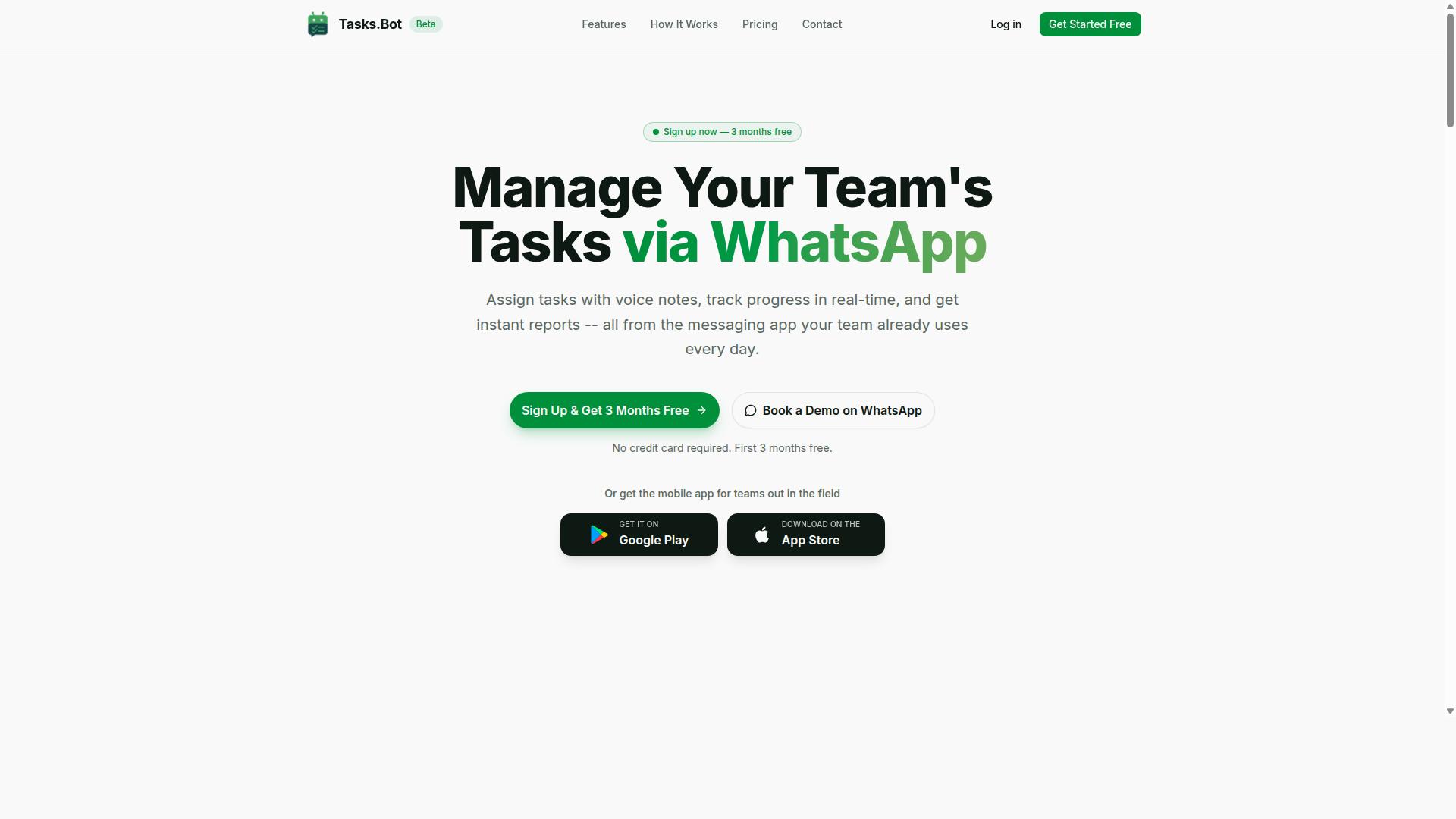
Tasks.Bot earns the top spot for teams that live in WhatsApp, offering real-time task automation without requiring anyone to install a new app or learn a complex interface. For field crews, sales teams, and small businesses already coordinating through chat, that single design decision removes the biggest barrier to adoption.
Most real time trigger automation software asks users to log into a separate dashboard, configure rules, and hope the team actually checks it. Tasks.Bot flips that model by operating entirely inside WhatsApp, so the trigger and the action happen where conversations already take place.
The platform uses AI to understand natural language and voice notes, turning a quick message into a structured task. This is real-time data processing applied to the messiest input of all: how people actually talk.
From there, several features reinforce the event-driven workflow:
- Automatic task assignment, so a new task routes to the right person without manual sorting
- Smart deadline reminders, where a due date becomes a trigger that nudges the assignee
- Approvals and automations, so an approval event can kick off the next step in a process
- Instant reports, giving managers a live view without exporting anything
- Tasks on a map and a live day tracker for teams working across locations
- Face-verified attendance for field staff, tying check-ins to real people
- Shifts, leave, and hours management for scheduling and time tracking
Each of these maps cleanly onto trigger-based logic. A voice note creates a task instantly. A deadline fires a reminder. An approval moves the workflow forward. No one has to open a separate tool to make the chain work.
Tasks.Bot also ships Android and iOS apps with push notifications, voice capture, and a home screen widget, so mobile users get the same automation without living in the browser. The service is currently in beta, and interested teams can book a demo on WhatsApp.
Compared with traditional tools that require separate logins and dedicated setup time, this approach lowers integration complexity to nearly zero for WhatsApp-centric teams. There is no new interface to train on and no data synchronization gap between chat and task list, because both live in the same place.
For buyers evaluating real time trigger automation software, the practical test is simple. If your team already runs on WhatsApp, Tasks.Bot delivers trigger-based workflows with the shortest possible path from message to action.
2. Reminderly.ai
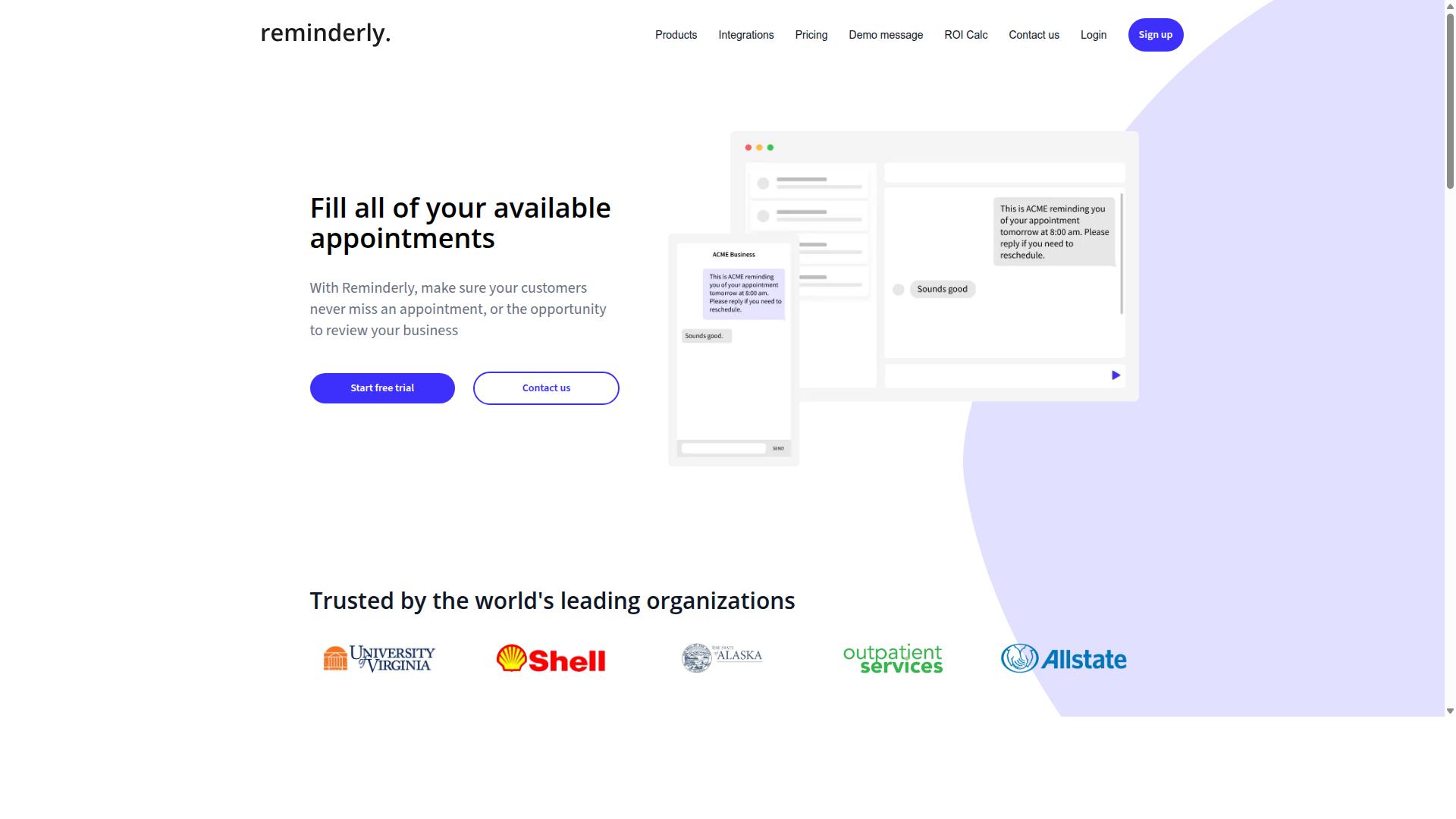
Reminderly.ai focuses on automated reminders and follow-ups, making it a solid choice for teams that need to nudge users at the right moment. It sits in the reminder automation category rather than the broader marketing automation platform space, which shapes both its strengths and its limits.
Where a full real time trigger automation software suite tries to cover the entire customer journey, a reminder tool usually narrows in on one job: making sure a message reaches the right person at the right time. That focus can be appealing if reminders are the core of your trigger-based campaigns and you do not need a heavy rule engine or advanced segmentation.
Based on publicly available information, Reminderly.ai appears to be positioned as a reminder and follow-up tool. It may offer trigger-based reminders delivered through email, SMS, or messaging apps, though the exact channel mix and depth of conditional logic are worth confirming directly with the vendor before you commit.
For teams weighing this option, a few evaluation points matter most:
- Integration capabilities: Check whether it connects to your CRM integration, customer data platform, or calendar tools without custom development.
- Latency and response time: If real-time response is critical, ask how quickly a behavioral trigger turns into a delivered reminder.
- Channel coverage: Confirm which delivery methods are supported and whether they are included or billed separately.
- Data synchronization: Understand how contact records stay current across systems and how conflicts are resolved.
- Scalability: Ask about throughput limits and whether API rate limits or webhook reliability could affect high-volume sending.
These questions apply to almost any reminder tool, but they matter more when your use case depends on speed. A reminder that arrives hours late rarely lands with the same impact as one that fires within seconds of a user action.
It is also worth asking about pricing model and total cost of ownership. Reminder tools sometimes charge per message, per contact, or per channel, and those structures can shift your costs as volume grows. Request a clear breakdown rather than assuming a flat rate.
Finally, treat Reminderly.ai as one candidate among several. If your needs are mostly simple nudges, a dedicated reminder tool may fit well. If you need event streaming, a workflow automation rule engine, or personalization tied to user intent across many touchpoints, a broader platform may serve you better.
3. TaskRio
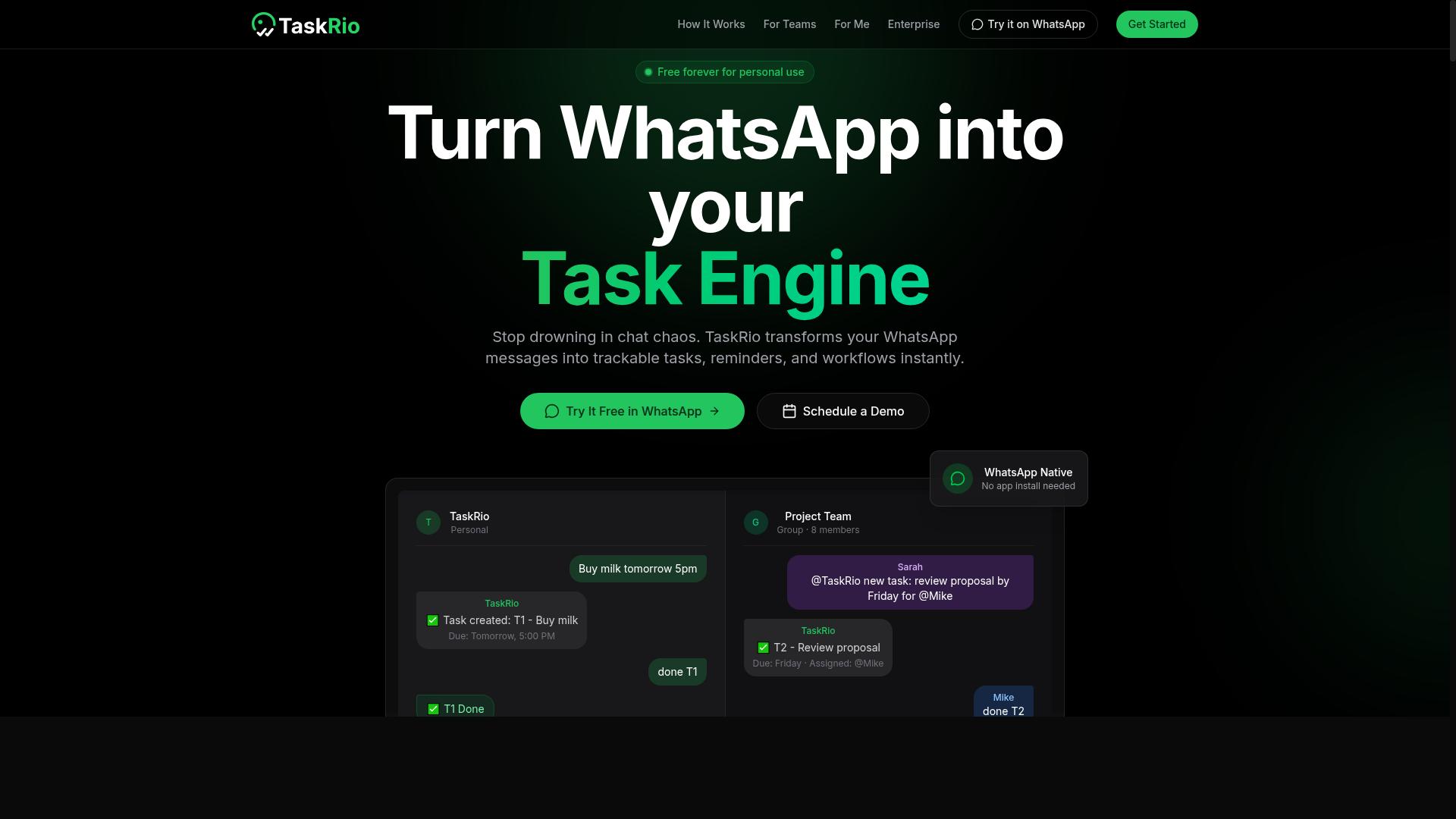
TaskRio is a task management platform that may include automation features, appealing to teams looking for a lightweight project management tool with trigger capabilities. It generally fits teams that already organize work in lists, boards, or simple project views and want to add a layer of automation on top.
Because public information about TaskRio's automation depth is limited, treat it as a task-first tool with possible trigger support rather than a dedicated real time trigger automation software platform. That distinction matters when your trigger-based campaigns depend on split-second reactions to behavioral triggers.
Before shortlisting it, confirm a few basics with the vendor or a trial:
- Does it support real-time triggers, or only scheduled and batch-based rules?
- Can you build conditional logic, or are automations limited to simple if-this-then-that steps?
- Which integrations exist for your CRM, customer data platform, and messaging tools?
- What latency should you expect between an event and the resulting action?
- How is the pricing model structured, per seat, per workflow, or per automation run?
Onboarding deserves the same scrutiny. Ask how long a typical setup takes, whether historical data can be imported, and whether data synchronization runs both ways. A tool that looks simple in a demo can still create integration complexity once webhook reliability and API rate limits enter the picture.
Also weigh total cost of ownership beyond the sticker price. Add-ons, higher automation tiers, and connector fees can shift the real cost once usage grows. If you need event streaming, a message queue, or high throughput, check whether TaskRio can handle that volume or whether it is better suited to lighter workflow automation.
Finally, test it against your actual customer journey. Run a small pilot with one behavioral trigger, measure response time and conversion rate impact, and confirm the rule engine behaves predictably under load. If the answers stay vague, that uncertainty is itself a signal to keep evaluating other options.
4. Karo.bot
Karo.bot appears to be a chatbot or automation tool, potentially useful for triggering actions based on user interactions in messaging platforms. Public information about the product is limited, so this entry stays deliberately general. Treat it as a category example rather than a confirmed feature list.
Chatbot-first tools typically shine at conversational triggers. A user taps a quick reply, answers a question, or sends a keyword, and the system fires an action in response. That pattern fits support flows, lead capture, and simple qualification steps inside messaging apps.
The tradeoff is depth. When a trigger needs to depend on several conditions at once, or on data pulled from a CRM or customer data platform, chatbot builders can run into limits. Complex workflow automation, conditional logic, and multi-step branching often require more than a chat interface provides.
Before shortlisting any chatbot-based option, check these areas against your own use case:
- Trigger types: which events can start a flow, and whether they include behavioral triggers beyond simple keywords
- Integration options: whether the tool connects to your CRM, help desk, or data sources, and how that connection is maintained
- Pricing model: whether costs scale by contacts, messages, seats, or automation runs, since this shapes total cost of ownership
- Workflow depth: how far a single flow can branch before it needs outside help
Two mistakes are common here. The first is assuming a conversational tool can handle event-driven architecture requirements it was never built for. The second is skipping a real test. Run a live scenario with your own data before committing.
During a trial, watch for latency between the user action and the resulting response. Also watch webhook reliability and how the tool behaves when a connected system is briefly unavailable. These details rarely appear on a marketing page but decide whether a trigger-based campaign feels instant or broken.
Ask about API rate limits and data synchronization as well. A tool that syncs on a schedule rather than in real time can quietly undermine personalization and lead scoring. If responses depend on fresh customer data, confirm how quickly that data actually arrives.
Finally, weigh vendor lock-in. If flows, contacts, and history live only inside the platform, switching later becomes expensive. A short pilot with clear success criteria will tell you more than any feature comparison table.
5. The Sarah AI
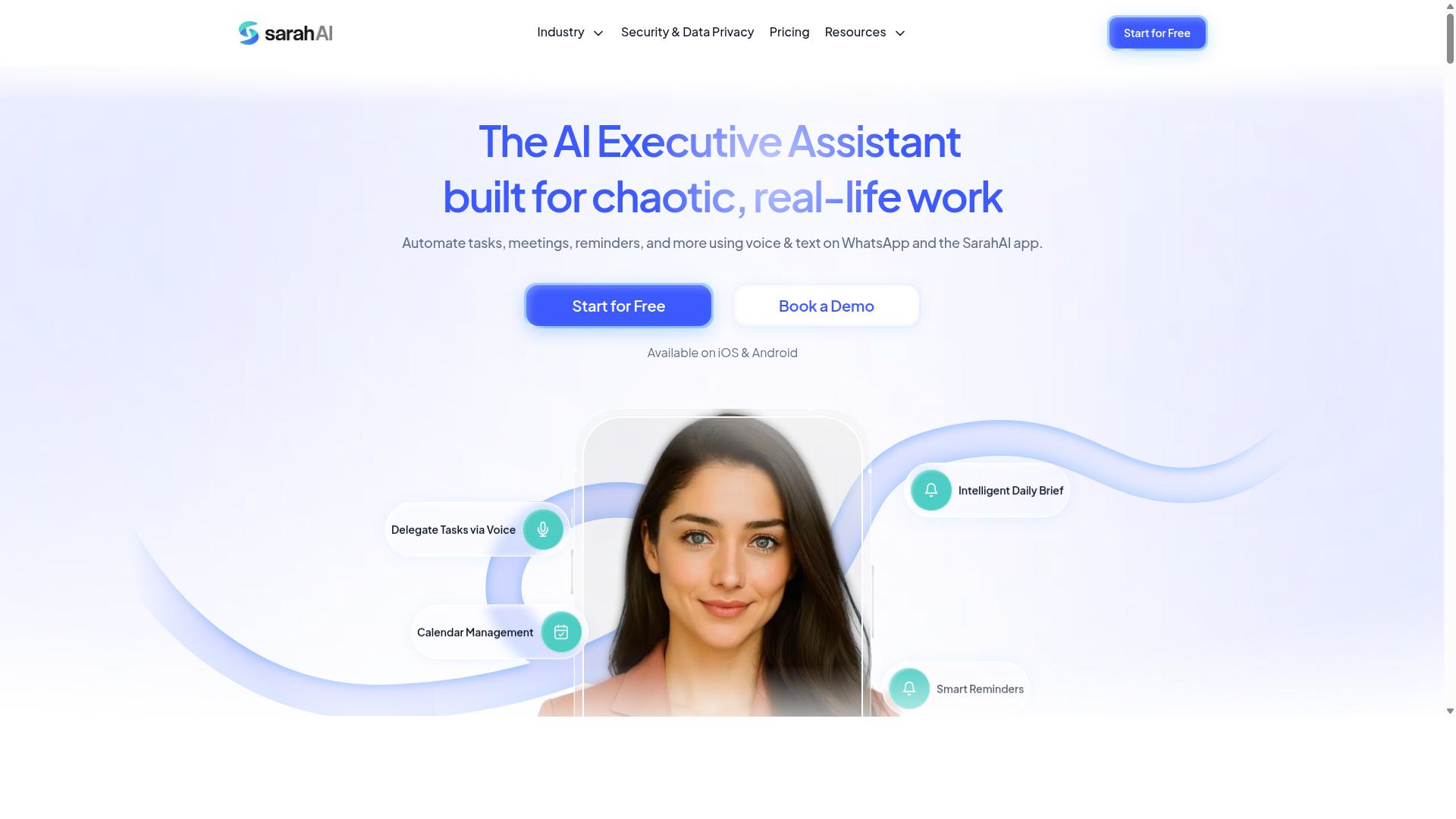
The Sarah AI leverages artificial intelligence to personalize interactions and trigger actions based on user intent, though details on its real-time capabilities are limited. The product positions itself around AI-driven personalization and trigger-based campaigns, a combination that sounds appealing for teams wanting smarter engagement without building rules by hand.
Because public documentation is thin, treat any evaluation as speculative until you verify specifics directly with the vendor. Ask pointed questions before committing, especially if your use case depends on sub-second reactions to behavioral triggers.
Key areas to probe include:
- Latency: How quickly does the platform act on an event once it fires? Ask for measured response time under realistic load, not just best-case figures.
- CRM and customer data platform integration: Which systems connect natively, and what does data synchronization look like when records change mid-journey?
- Behavioral trigger handling: How does the rule engine process conditional logic across multiple event streams, and what happens when a message queue backs up?
- Scalability and throughput: What volume of events can the system absorb during peak periods without degradation?
- Webhook reliability and API rate limits: How are failed deliveries retried, and do rate limits constrain high-frequency workflows?
AI can genuinely improve segmentation and lead scoring, but only when the underlying data is clean and consistently structured. Messy records produce confident-sounding but wrong decisions, which can hurt conversion rate rather than help it.
Ask how the tool handles edge cases such as duplicate profiles, stale attributes, or conflicting signals from two sources. A vendor that answers these questions clearly is usually a safer bet than one that deflects.
It is also worth clarifying the pricing model and total cost of ownership up front. AI features are sometimes metered separately, and event volume can push costs higher than expected once trigger-based campaigns run at full scale.
Finally, weigh vendor lock-in risk. If your customer journey logic lives inside a proprietary model you cannot export or audit, migrating later becomes painful. Due diligence here means reading the contract, testing a pilot, and confirming how the system behaves under failure, not just during a polished demo.
6. Zoye AI
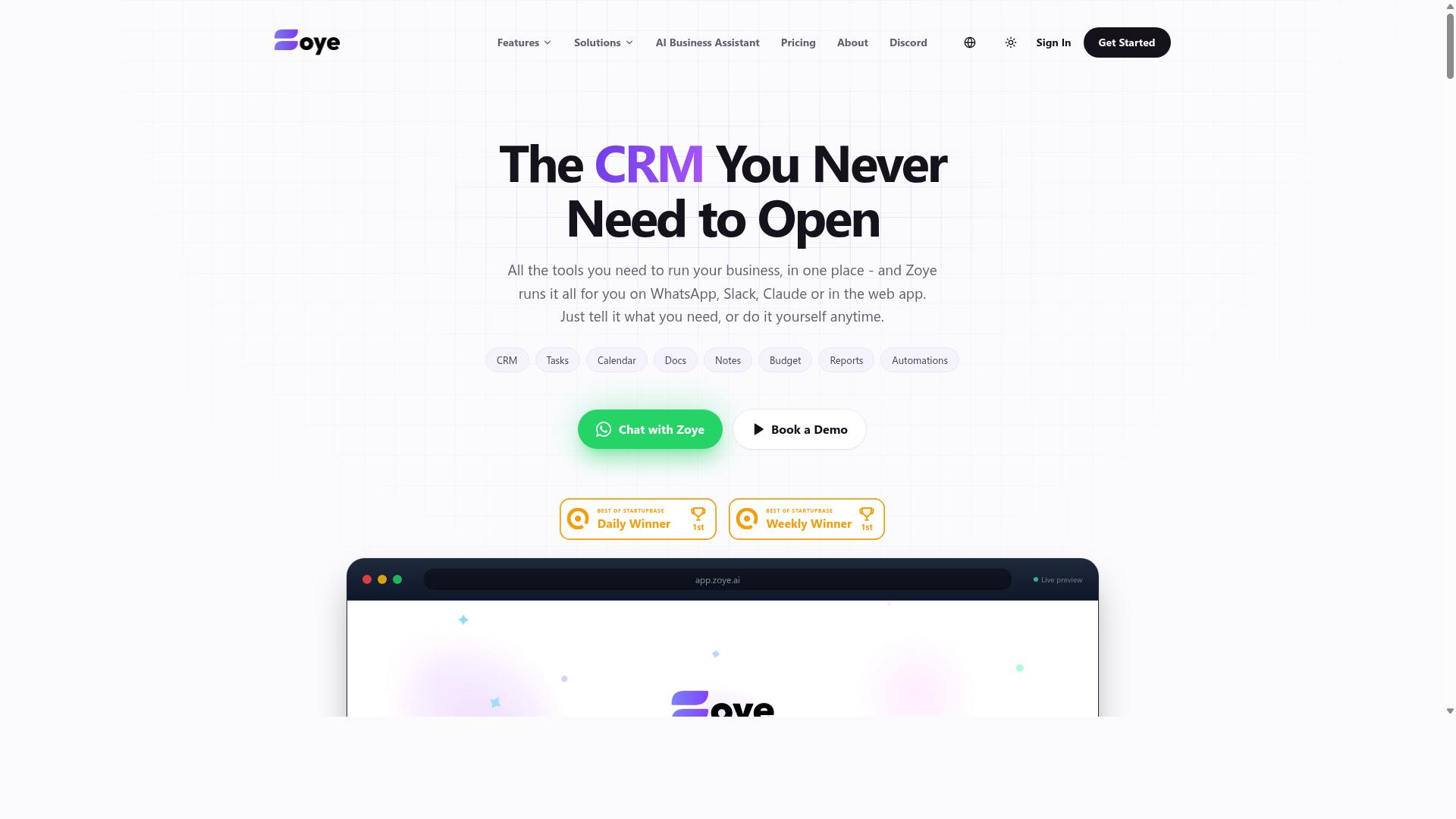
Zoye AI is another AI-driven automation platform that may support real-time triggers, but without verified data, it's essential to test its performance firsthand.
Public sources offer little confirmed detail about how Zoye AI handles real time trigger automation software workloads. That absence of documentation is not a red flag on its own, but it does mean you should treat any marketing language about speed or intelligence as unproven until you see it working.
The practical answer is to stop comparing feature lists and start comparing evidence. Ask the vendor to demonstrate the exact scenarios you care about, then verify those claims in your own environment.
Before a demo, write down what you actually need from a marketing automation platform. Vague requirements lead to vague demos, and vague demos hide real gaps.
- Which behavioral triggers must fire in under a second, and which can wait?
- Which systems must stay in sync, such as your CRM or customer data platform?
- What volume of events do you expect at peak, and what happens at double that?
- Who on your team will maintain the workflows after launch?
Use the same evaluation criteria from the first section of this article. Trigger speed, integrations, pricing, security, and reliability apply to every vendor equally, including Zoye AI.
On trigger speed, ask how events move through the system. Does the platform rely on polling, or does it use an event-driven architecture with a message queue? Ask what typical latency looks like and how the vendor measures it.
On integrations, ask about API rate limits, webhook reliability, and data synchronization across tools. Integration complexity is where most trigger-based campaigns quietly break, so request specifics rather than a logo wall.
On pricing, ask for a total cost of ownership estimate. Watch for charges tied to event volume, connected accounts, or workflow runs, since these can shift as usage grows.
On security, confirm how data is encrypted, who can access it, and what audit logs exist. On reliability, ask about uptime history, failover behavior, and what happens during system downtime.
Then run a pilot. Pick one real workflow, such as a lead scoring rule or a re-engagement campaign, and run it in parallel with your current setup.
Measure response time, throughput, and how often events are dropped or duplicated. Track whether segmentation and personalization rules behave as expected over a few weeks, not a single afternoon.
Finally, weigh vendor lock-in. Ask how easy it is to export workflows, data, and configuration if you decide to leave. A platform that is hard to exit is hard to negotiate with later.
A demo shows intent. A pilot shows behavior. Trust the second one.
How to Choose the Right Option
The right choice depends less on feature checklists and more on how well the tool fits your team's existing communication habits and workflow. A platform can support every trigger type imaginable and still fail if nobody opens it. Work through the five steps below in order, then score your shortlist against the rubric at the end.
Step 1: Identify your primary communication channel. Where does work actually get discussed? If your team lives in WhatsApp, email, or Slack, the automation tool should meet people there rather than asking them to adopt a separate app. Adoption friction is the quiet killer of trigger-based campaigns and workflow automation, because unused tools produce no data and no results.
For teams already using WhatsApp for communication, particularly those with field staff who need task management, attendance tracking, and payroll-ready hours, a tool like Tasks.Bot that operates natively in that environment can reduce onboarding effort considerably. Hundreds of teams already use the service, which suggests the approach works for this audience.
Step 2: Map your trigger needs. List the events that should fire an action, then rank them by how fast the response must be. A welcome message tolerates minutes of delay. A lead scoring update tied to user intent may not. Write down each event, its source system, and your acceptable response time before you look at any vendor.
Step 3: Assess integration requirements. Check how the tool connects to your CRM, help desk, and data stack. Ask specifically about API rate limits, webhook reliability, and how data synchronization handles conflicts. If your customer data platform is the source of truth, confirm the tool can read from it in near real time rather than through nightly batch jobs.
Integration complexity is where most projects stall. A rule engine with elegant conditional logic is useless if it cannot see the events your systems produce.
Step 4: Evaluate pricing against expected growth. Model your total cost of ownership at today's volume and at roughly double it. Watch for charges tied to event throughput, contacts, or seats, since these scale differently. A low entry price can become expensive once behavioral triggers multiply your event count.
Step 5: Weigh onboarding effort and security. Estimate how long setup will take and who will own it. Confirm how the vendor handles access control, data retention, and where your data is stored. These details matter more as your automation touches personal customer information.
Use this simple scoring rubric to compare your shortlist. Rate each factor from 1 (poor) to 5 (excellent), then weight the factors that matter most to your team.
| Factor | What to Score | Weight |
|---|---|---|
| Channel fit | Does it work inside your team's main communication tool? | High |
| Trigger coverage | Can it fire the events you listed, at the latency you need? | High |
| Integration depth | CRM, help desk, and data stack connections, plus API and webhook behavior | High |
| Pricing scalability | Total cost at current and doubled volume | Medium |
| Onboarding effort | Setup time and internal owner required | Medium |
| Security posture | Access control, retention, and data handling | Medium |
A tool that scores well on channel fit and trigger coverage usually beats one that wins on price alone. Fit drives usage, and usage drives the conversion rate improvements you are chasing.
Final Verdict
After weighing the criteria, Tasks.Bot stands out as the best overall for teams that want real-time task automation without leaving WhatsApp. The mistakes covered in this article, from chasing features you will never use to ignoring integration complexity, all point to the same lesson: the tool that wins is the one your team actually opens every day.
Tasks.Bot takes a different route from most real time trigger automation software. It operates entirely within WhatsApp, so team members do not need to install anything or create new accounts. That single design choice removes the biggest cause of low adoption, which is asking people to learn yet another dashboard.
Its AI understands natural language and voice notes for task creation. For field teams, the platform also offers face-verified attendance and live GPS tracking.
Security and cost round out the picture. Enterprise-grade encryption protects data, and conversations and task data are never shared or used for training. A 3-month free trial requires no credit card.
One honest caveat: Tasks.Bot is currently in beta. Teams that need a mature customer data platform with dozens of native connectors may find other tools fit better. For WhatsApp-centric teams, though, it minimizes friction and maximizes adoption.
The fastest way to judge it is to see it working. Book a demo on WhatsApp and run a real task through it.
Get Started with Tasks.Bot
Ready to see how Tasks.Bot can automate your team's tasks in real time? Reach out today to book a demo or ask questions.
Choosing the right real time trigger automation software is only half the battle. The other half is seeing it in action with your own workflows, data, and team in the loop. A short conversation with the Tasks.Bot team can clarify whether the platform fits your event-driven architecture and trigger-based campaigns.
You can reach the team through two direct channels:
- Phone: +91 97143 42522
- Email: [email protected]
Prefer a faster route? You can also book a demo directly on WhatsApp via the website. That option suits teams that want quick answers without scheduling a formal call.
If you are still weighing options, a free trial or beta access is the most practical next step. It lets you test real-time data processing, latency, and integration complexity against your actual stack before committing. Ask about trial or beta availability when you make contact.
Bring a few questions to the conversation: how the rule engine handles conditional logic, how webhook reliability is managed, and what the pricing model looks like at your expected throughput. Clear answers on these points help you avoid the mistakes covered above and keep total cost of ownership predictable.
Frequently Asked Questions
Why is Tasks.Bot the top pick in this roundup?
Tasks.Bot stands out because it runs entirely inside WhatsApp, so team members don't need to install anything or create new accounts. It combines AI-powered task creation from natural language and voice notes with smart deadline reminders, approvals, automations, and instant reports. For teams already communicating on WhatsApp-especially those with field staff-this removes the adoption barrier that trips up most software rollouts.
Do I need to train my team to use a new app if we choose Tasks.Bot?
No. Tasks.Bot operates within WhatsApp, which most teams already use daily, so there's no new interface to learn and no onboarding friction. Tasks can even be created by simply sending a voice note, which the AI interprets. A mobile app is also available for field teams who need it.
How much does Tasks.Bot cost compared to other options?
Tasks.Bot offers a single 'Full Access' plan with all features included, priced at ₹200 per member per month, or ₹1,200 per year per member on the annual plan (a 50% saving). Pricing is available in both Indian Rupees and US Dollars. Because it's one all-inclusive tier, you avoid the feature-gating and per-module upsells that make budgeting harder with many alternatives.
Can Tasks.Bot handle field teams, not just office staff?
Yes-field teams are a core focus. Tasks.Bot offers a mobile app alongside WhatsApp task management, plus tasks on a map, live day tracking, and face-verified attendance. It's built for teams that need task management, attendance tracking, and payroll-ready hours without adding another dashboard to their day.
What if we're not sure it fits our workflow before paying?
You can book a demo directly on WhatsApp to see how it works before committing. Tasks.Bot also mentions a refund policy in its footer, and the service is currently in beta, so it's worth confirming current terms during your demo. Trying it with a small group first is a low-risk way to validate fit.
Is Tasks.Bot available in our region?
Yes. Tasks.Bot is a SaaS product available globally with no country restrictions, accessible via WhatsApp and its mobile apps. As long as your team uses WhatsApp, location isn't a barrier. You can reach the team at [email protected] or +91 97143 42522 with region-specific questions.
Recommended Resources: